One WhatsApp number. Your whole team behind it.
VirtualRx CRM puts your pharmacy's own WhatsApp number into one shared inbox. Every member of staff signs in on their own phone, each chat has someone looking after it, and you can see who is still waiting for a reply.
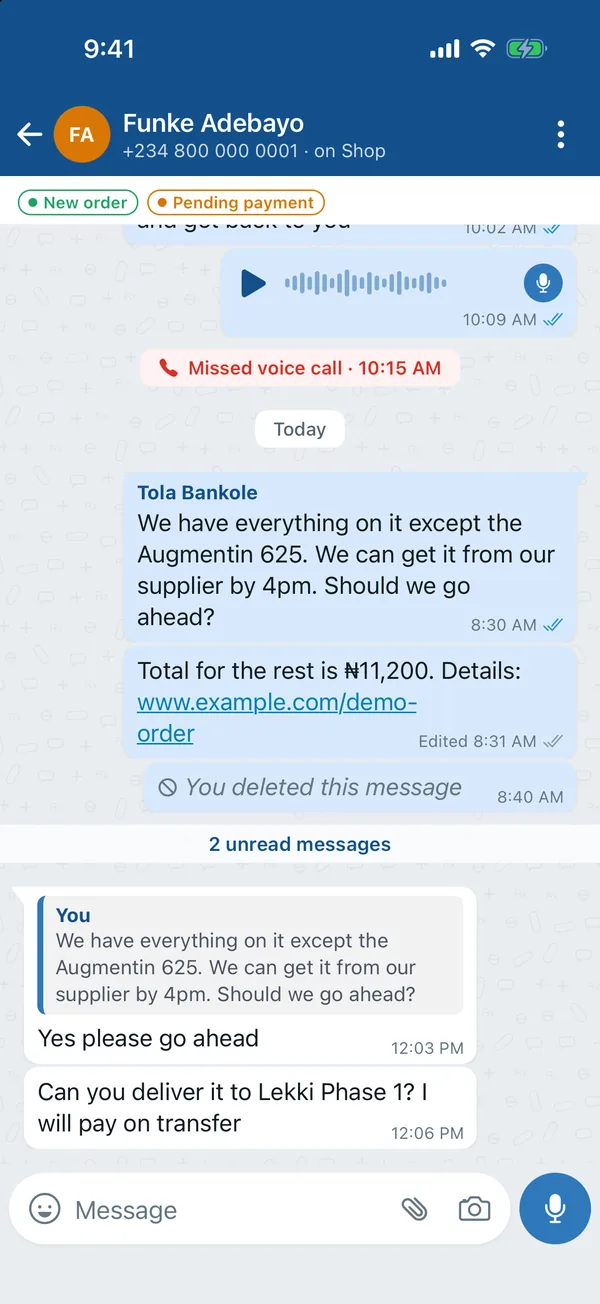
Your customers are on WhatsApp. Your team is not always holding the phone.
One phone, one person
The shop's WhatsApp lives on one phone, so only whoever is holding it can reply, and everyone else waits.
Customers left waiting
Messages pile up at busy times and after closing, and nobody can tell who has been waiting longest.
Orders lost in the chat
Was it paid? Has it gone out? The answer is somewhere up a long conversation.
Everything your team needs to answer well
It looks and works like the chat app your staff already know, in VirtualRx blue.
A shared inbox for the whole team
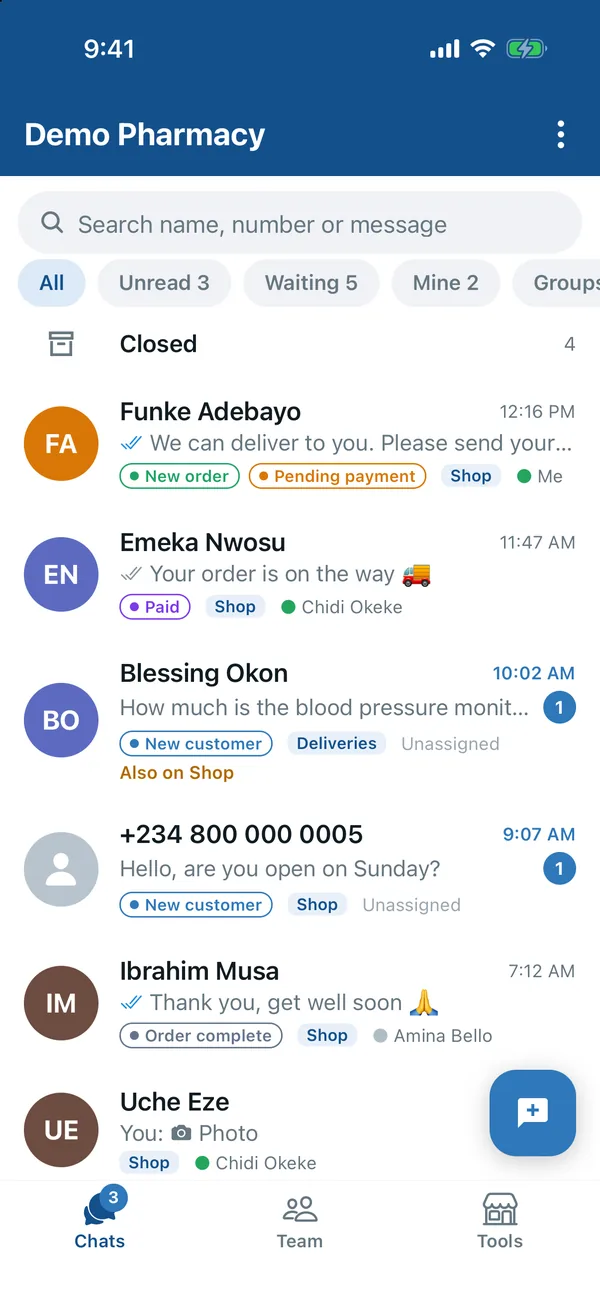
Everyone works from the same list of chats, each with their own login. A chat is assigned to one person, so customers never get two answers or none.
- Assign a chat, hand it over, put it on hold
- Close a chat when it is done; it reopens when the customer writes again
- Filters for unread, waiting on us, mine, groups and your own labels, and search across every chat
- Several WhatsApp numbers in one app, for example Shop and Deliveries
See who has waited longest
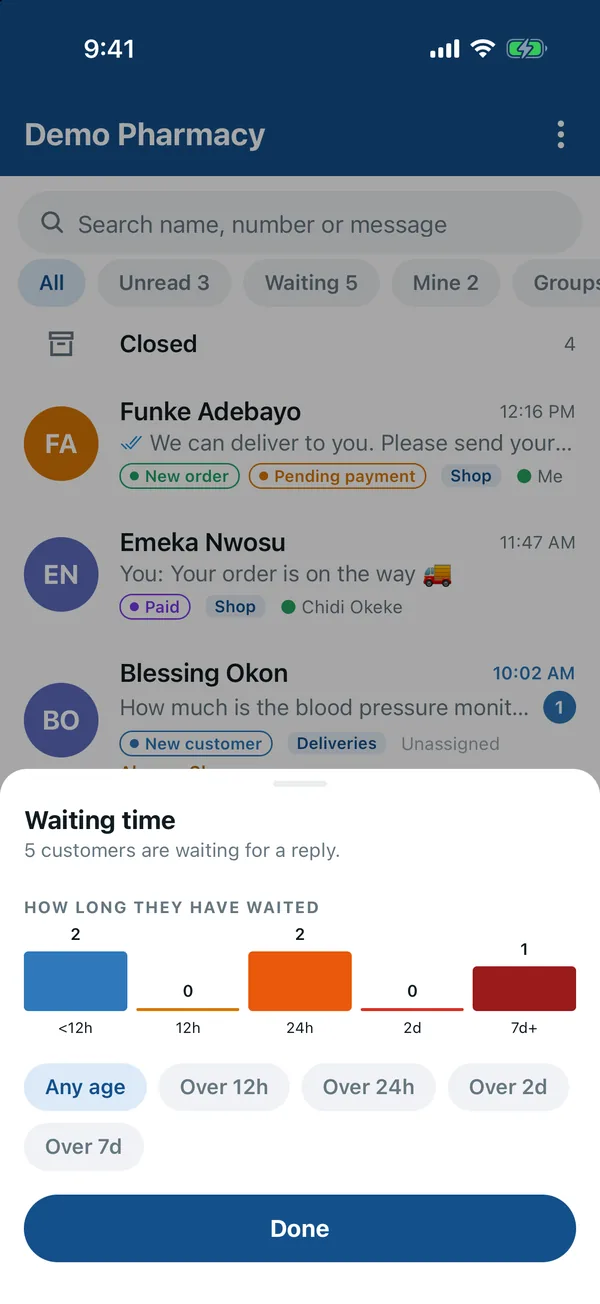
The waiting-time view shows how many customers are waiting for a reply and for how long, so the oldest gets answered first.
- Waiting times grouped from under 12 hours to over a week
- Filter the list to the customers waiting longest
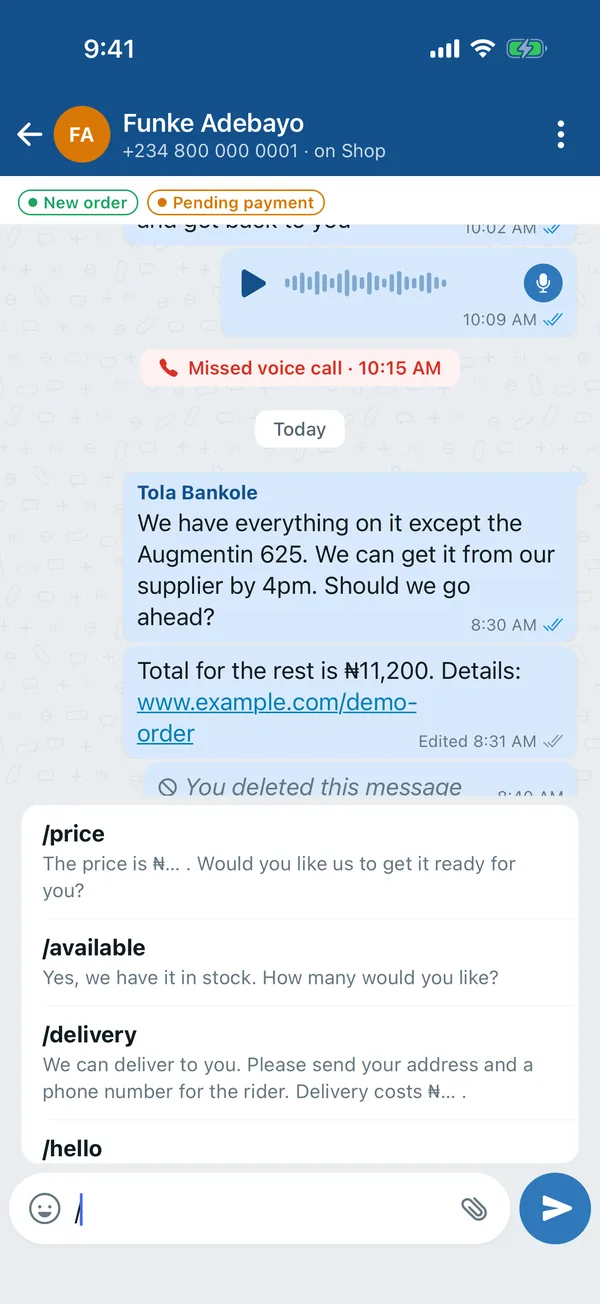
Answer in seconds with quick replies
Save the answers you give every day, like prices, delivery and opening hours. Type / in any chat and pick one.
- Saved answers your whole team shares
- Edit before sending, so every reply still sounds personal
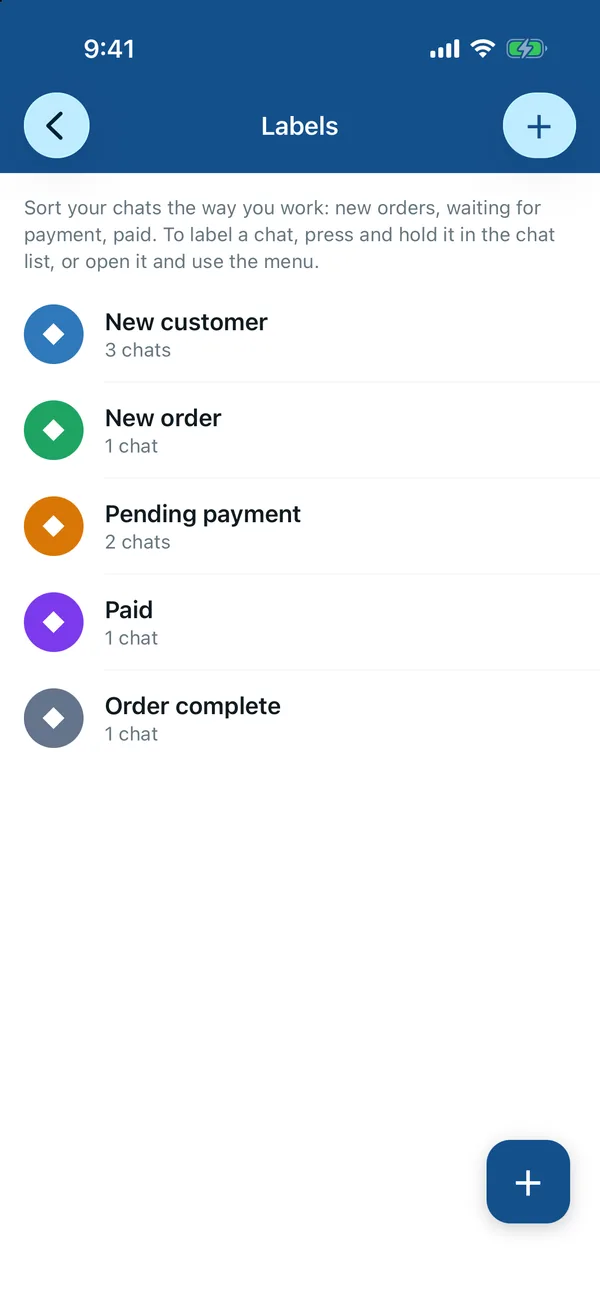
Labels that follow every order
Label a chat as the order moves along, and anyone on the team can see where it stands at a glance.
- New customer, New order, Pending payment, Paid, Order complete
- Add your own labels, with their own colours
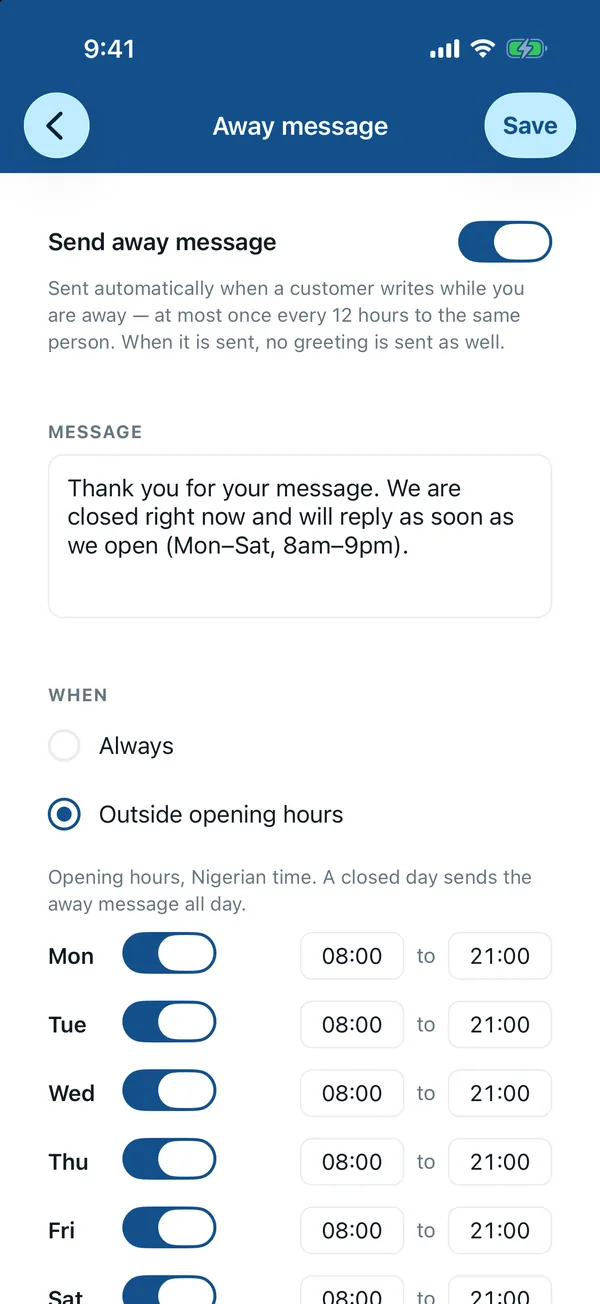
Greeting and away messages
Welcome new customers automatically, and let people know when you are closed, all the time or just outside your opening hours.
- Set opening hours day by day
- Automatic replies only answer messages from the last 10 minutes, so customers are never flooded after your phone has been offline
Everything your customers send
Prescriptions as photos, documents, voice notes, locations and contact cards all come through, and a push notification tells your team the moment a message arrives.
- Photos, documents, voice notes, location and contact cards
- React to a message, edit one you sent within 15 minutes, or mark a chat as unread
- See when a customer is typing or online, with read ticks in the chat list
- Push notifications for new messages
Set up in minutes, on the number you already have
Your customers keep messaging the same number. Nothing changes for them except faster answers.
Download and sign up
The owner downloads VirtualRx CRM and creates the pharmacy's account in the app.
Link your number
Link your pharmacy's own WhatsApp number by scanning a QR code. No new number, no new SIM.
Add your team
Give each member of staff their own login. They install the app on their phone and start answering.
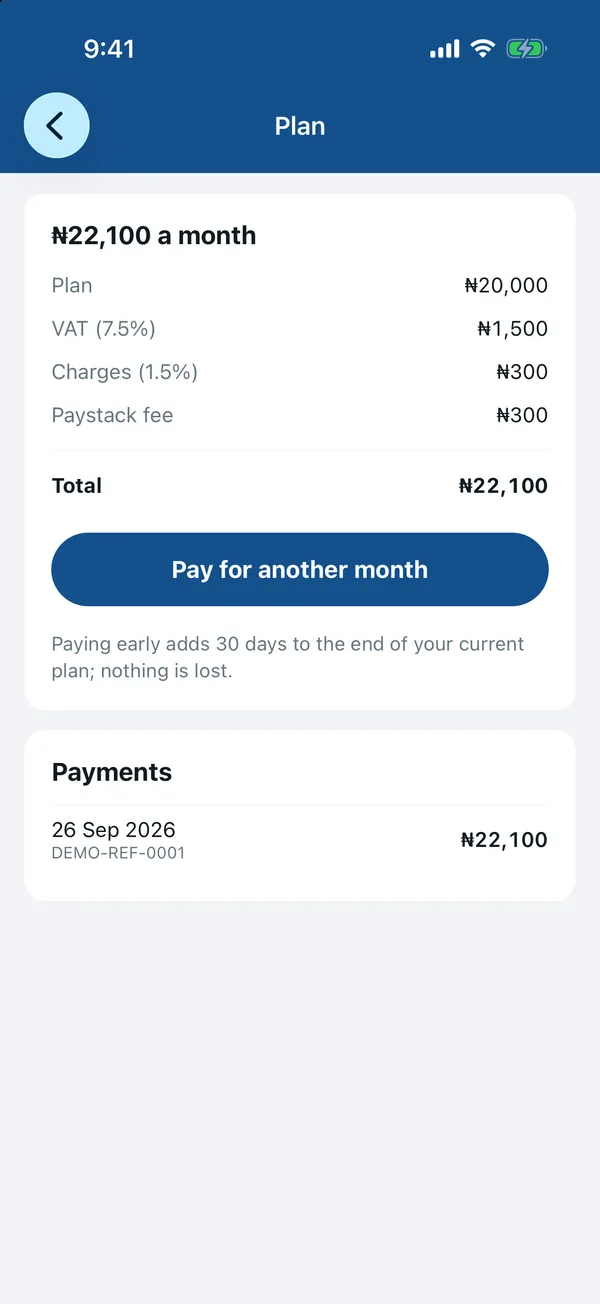
One plan. Everything included.
Try it free for 14 days. After that it is one simple monthly plan, paid securely in the app with Paystack.
₦22,100 a month in total, with VAT and payment charges.
- Shared inbox for your team, each with their own login
- Quick replies, labels, greeting and away messages
- Waiting-time view and push notifications
- Paying early adds 30 days to your plan, so nothing is lost
Good to know
Do we need a new number?
No. VirtualRx CRM uses your pharmacy's own WhatsApp number, so customers keep messaging the number they already have.
Is this an official WhatsApp app?
No. VirtualRx CRM is made by VirtualRx. It is not made, endorsed or sponsored by WhatsApp or Meta. It works with your own WhatsApp number.
Who can read our chats?
Your chats are for your team: only the people you add to your pharmacy can open them in the app.
How do I install the Android app?
Open this page on your Android phone and tap Download for Android. When the download finishes, open the file. If your phone asks, allow your browser to install apps, then tap Install. New features reach the app on their own, so there is no need to download it again.
Does it work on iPhone?
VirtualRx CRM is an Android app today. The iPhone version is coming soon.
What happens after the free trial?
Pay ₦22,100 in the app to carry on for another month. Paying early adds 30 days to the end of your current plan.
Give your whole team your WhatsApp
Start your 14-day free trial today.
Questions? Email support@virtualrx.com.ng
WhatsApp is a trademark of WhatsApp LLC. VirtualRx CRM is an independent product and is not affiliated with, endorsed or sponsored by WhatsApp or Meta. Screens show demo data.